just like that

  • Home
  • Make Money
    • Your Click
    • Others Click
    • Other Programs
  • Technical Support
    • Windows
    • Android
    • Other
      • how to do
  • online Is On
    • Online Media
      • Online Fm Radio
      • Online Tv
      • Online Games
    • Funny Videos
    • Downlaod Mp3 And MP4 Songs
    • Most Important Videos On Youtube
    • How To Make
  • Tourist Place
  • Health
    • Food Medicine
    • Workout
  • Image Collection

Tuesday, 6 December 2011

About the Blogger "Earnings" tab

 06:23     google     No comments   


The Earnings tab in Blogger makes it easy to enable AdSense ads on your blog. Once your account has been approved, Blogger retrieves your earnings data so you don't need to visit the AdSense dashboard to access basic earnings information.
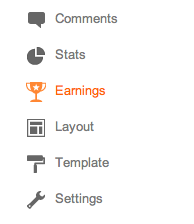
Blogger Earnings tab for new interface
AdSense Report
Once you start generating AdSense impressions, you'll begin earning money when people click on ads that appear on your blog. The earnings report (visible when you click the Earnings tab) includes a drop-down bar with Today, Yesterday, Last 7 Days,This Month, and All time.
Selecting an option will retrieve the relevant report directly from AdSense.
All time
If you're an existing AdSense user, you'll notice that Blogger created a new channel (with the URL of your blog) in your account. If you have had AdSense ads on your blog before using Blogger’s AdSense integration to insert ads into your blog, note that All time will retrieve data only from the time you connected Blogger to your AdSense account.
This does not affect your overall AdSense reporting, available directly from AdSense.
Terminology
The AdSense report visible from the Earnings tab contains basic information about how many ads have run on your blog, how many clicks were generated, and how much revenue you've earned. Each term in the report is defined below:
  • Page views: A page view is generated every time a user views a page displaying Google ads. We'll count one page view regardless of the number of ads displayed on that page. For example, if you have a page displaying three ad units and it's viewed twice, you'll generate two page views and six ad unit impressions.
  • Clicks: The number of times the ads were clicked on in the given reporting period.
  • Page CTR (Click-through rate): The number of ad clicks divided by the number of page views.
  • CPC (Cost per click): The average amount paid by the advertisers for each ad click.
  • Page RPM (Revenue per mille): This is revenue per 1,000 page views. RPM = (Page views x CTR x CPC) / 1,000
For more information please check out the AdSense Help Center.
  • Share This:  
  •  Facebook
  •  Twitter
  •  Google+
  •  Stumble
  •  Digg
Newer Post Older Post Home

0 comments:

Post a Comment

Video Game Godfather - Work From Home Selling Video Games Online

Click Here!

Appszero - Build Mobile Apps With Zero Coding

Click Here!

Translate

I Got Total Views

Popular Posts

  • 10 Different Url Shorteners That Give You Addon Benefits
    There was a point of time when no one ever considered the fact that there ever might arise a need for a URL shortener. In recent times, howe...
  • Create Short URLs with the Goo.gl Bookmarklet
    If you are looking for a way to create your own short URLs with goo.gl but without installing the Google Toolbar, here's a quick bookma...
  • how to avoid ads in youtube
    IT'S just simple right click select pop out thats all  
  • Live Flight Tracking on Google Maps
    Casper is a brilliant mashup that displays movement of incoming and outgoing flights on a Google Map  live . The airplanes are colored based...
  • Things You Should Do After Installing WordPress
    The WordPress tips and hacks mentioned below apply to a self-hosted installation of WordPress. You may skip if your WordPress blog is hosted...
  • Twitter Tip: Add a ‘Tweet This’ Link to your Blog on WordPress or Blogger
    Twitter can be a great source of traffic for your blog. To give you an example, my article on bookmarklets was on the delicious popular sect...
  • How to Set Up iCloud For Your iOS Devices
    Apple has introduced iCloud and Wi-Fi connectivity for Mac and other mobile devices . This is the most unique feature of  iOS 5 for iPad, iP...
  • earnparttimejobs
    earnparttimejobs:-                            Indians Earn Rs.50000/month via part time jobs. Easy form filling data entry jobs Earn Rs.25,0...
  • How 2G Works
    How 2G Technology Works Advancement in mobile phones technology has been marked by generation (G). Analog phones are related to the 1st gen...
  • Add Google Autocomplete to other Search Engines
    When you type a few characters in the search box of your favorite web browser - be it Firefox, Internet Explorer or the Omnibox of Google ...

Recent Posts

Categories

  • 12b
  • 180
  • 365 Kadhal Kadithangal
  • 3g
  • 4 Students
  • 7am arivu video songs
  • affiliate
  • Airtel Free Live Tv
  • Audio CD/DVD Burning
  • blog tricks
  • blogging
  • browser
  • Dish tv
  • download manger
  • download soft
  • earn sites
  • facebook
  • Favicon to Blogger
  • free call
  • free sms
  • games
  • Gemini Comedy
  • google
  • gprs
  • health
  • hindi
  • How do I create a blog
  • internet
  • iPhone
  • java
  • Kavithai
  • LG
  • live mobile tv
  • live tv
  • mobile
  • mobile tv
  • motorola
  • movies
  • mp3 player
  • Nadanthathu Enna
  • Noika
  • old movies
  • online fm
  • online movie
  • online movies
  • online tv
  • Photoshop
  • samsung
  • Serials
  • software
  • sony ericsson
  • sql
  • Surya Hits
  • tamil
  • tamil movies
  • tamil video songs
  • tamilmobiletv
  • tech
  • telugu
  • top 10
  • TV SHOWS‎
  • video converter
  • Video Players
  • video songs
  • windows software
  • youtube

Blog Archive

  • August (36)
  • September (39)
  • November (715)
  • December (627)

About Me

My photo
punniyaseelan
View my complete profile
Powered by Blogger.

Sample Text

Copyright © just like that | Powered by Blogger
Design by punniya seelan | Blogger Theme by New Blogger Themes | Distributed By Templates